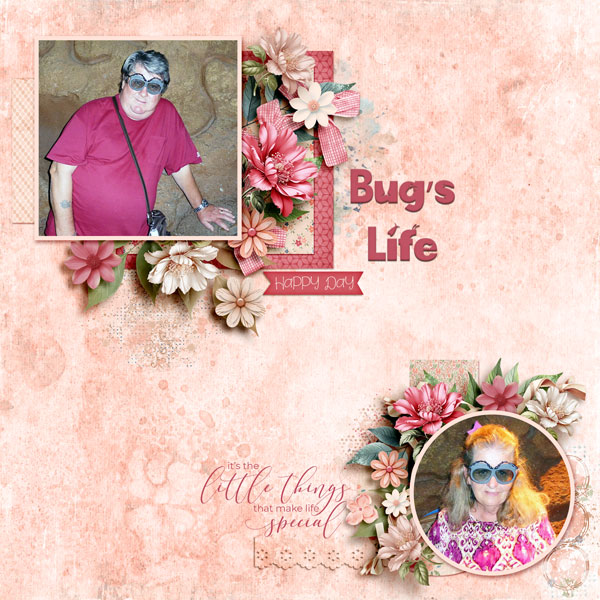


Hey Scrappers! I'm Fayette of Fayette Designs, here with a fun challenge - The Art of Achieving Balance.
I'll be the first to admit that I struggle to achieve balance in life. I spend a LOT of time working, lots of time with family, church, gardening...and never enough time sleeping. But hey, I'm pretty good at achieving balance on one thing....a digi layout! So, I'm here to challenge you to create balance on your layout for this challenge.
Here are the rules for my challenge.
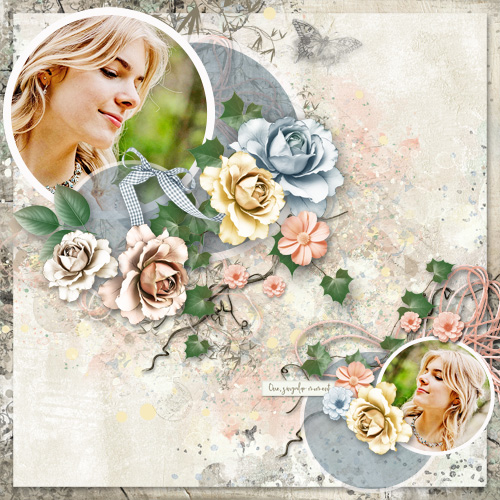
Here's my sample layout featuring my granddaughter Brookelynne. She graduated from high school and cosmetology school last year. I swear, she was three years old just a few weeks ago
Everyone who completes this challenge will receive a coupon code to my shop. Coupon codes will be sent out by May 6.
The Art of Memories Challenge Rules:
Read about the prizes you can earn in each challenge thread and in our main Art of Memories Post.
Be sure to visit my shop TODAY ONLY to get in on my Art of Memories Sale!

I'll be the first to admit that I struggle to achieve balance in life. I spend a LOT of time working, lots of time with family, church, gardening...and never enough time sleeping. But hey, I'm pretty good at achieving balance on one thing....a digi layout! So, I'm here to challenge you to create balance on your layout for this challenge.
Here are the rules for my challenge.
- Use only products from my shop. And hey, if you don't have any of my kits (gasp), you're in luck! My entire shop is discounted TODAY ONLY, April 10.
- Create a layout that has a large photo/element/paper block in one corner or on one side of your layout. Use at least 10 elements to create a cluster on this part of your layout. You're welcome to use more, duplicate them, etc. Just make sure it's a substantial cluster.
- Create a smaller photo/element/paper block opposite of your large block. You do NOT have to use a photo here. You could use a paper, journaling, a quote...just make it weighty enough that it balances your first photo & cluster composition Use at least 8 elements in the cluster on this part of your layout.
- Add extra elements to give your layout a creative, artistic feel.
- Add some paper strips for contrast and interest. These will also help your page feel balanced.
- Add a title and journaling to your layout. I used very simple journaling on a label - so it doesn't have to be a lot :
- Repeat shapes. I used circles and rectangles on both the top and bottom photo/clusters.
- Repeat papers or elements, but be aware of the light source. You will need to rotate some of them to match the shadowing on your layout.
- Be aware of the direction the subject of your photo is looking. It's almost always best to place the photo so they are looking toward the center of the layout or toward you. If they're looking off of the page, it just throws the focus off.
- The main thing is to do whatever you're inspired to do. Scrapbooking is a very personal thing, and we're all creative in different ways.
Here's my sample layout featuring my granddaughter Brookelynne. She graduated from high school and cosmetology school last year. I swear, she was three years old just a few weeks ago
• I used 15 elements in the top, left cluster (that doesn't count the butterfly, label, tiny flower & leaves or string. Yes, I love to use lots of elements.
• I used 9 elements on the lower, right cluster.
• I also added paper strips on both the top and bottom, as well as background fancies to kind of "ground" the separate photo blocks.
• ...and that's it. The title and journaling complete the layout....and to my eye, it feels balanced. I actually tried blending a photo of Brookie in her cap and gown into the background, but it totally threw the balance off....so that's a photo for another layout
Everyone who completes this challenge will receive a coupon code to my shop. Coupon codes will be sent out by May 6.
The Art of Memories Challenge Rules:
- Download/save your Art Of Memories tracking sheet from the AOM Tracking Thread. We'd love to have you decorate your tracking sheet using current PBP products.
- The Art of Memories Challenge Layouts must use 100% Pickleberrypop products.
- You must create a NEW layout for each challenge. Each layout can only be used for one challenge.
- Upload your layout to the PBP Gallery. Add it to the Members Gallery when you begin the upload process. Select The Art of Memories Gallery and the designer’s gallery whose product you used as an ADDITIONAL CATEGORY. You must link the collections you use on your layout in your post in the gallery in order for your layout to count toward prizes.
- Add your challenge layout to the corresponding challenge thread and link it to your layout in our gallery. Need help figuring out how to do that? See this post.
- Add your layout image to your tracking sheet (200x200 pixels).
- Did you miss a challenge? No worries. All layouts must be completed, uploaded to the gallery, posted in the challenge threads and added to your tracking sheet by April 30th.
- Most of all, have fun!
Read about the prizes you can earn in each challenge thread and in our main Art of Memories Post.
Be sure to visit my shop TODAY ONLY to get in on my Art of Memories Sale!
Last edited: